


Download Fast Video Download – Fast, Secure Video Downloader for Mac
Overview
Fast Video Download for Mac, developed by Applian Technologies, is a lightweight yet powerful tool designed to let Mac users capture online videos in a matter of seconds. By integrating directly with Firefox, the application can detect video streams on popular platforms such as YouTube, Vimeo, Facebook, Dailymotion, and dozens of smaller sites. Once a video is detected, a single click initiates the download, offering a range of output formats—including MP4, AVI, MOV, FLV, and WMV—so the file works on any device you own.
The software also includes a built‑in audio recorder, enabling you to save audio‑only streams from sites that block direct video downloads. While it doesn’t boast the deep‑editing suite of premium competitors, Fast Video Download makes up for it with a clean, intuitive interface, batch‑download capability, and a focus on speed and security. Whether you need a quick clip for a presentation, a favorite music video for offline listening, or a collection of tutorials for future reference, this downloader provides a reliable, hassle‑free solution for everyday Mac users.
Key Features & Functionalities
- Universal Site Support: Works with YouTube, Vimeo, Facebook, Dailymotion, and virtually any website that streams video.
- Multiple Output Formats: Export videos as MP4, AVI, MOV, FLV, or WMV for maximum device compatibility.
- Built‑in Audio Recorder: Capture audio streams from encrypted or download‑restricted pages.
- Batch Download: Queue up several videos from the same site and download them simultaneously, saving time.
- Firefox Integration: Seamlessly detects videos while you browse, eliminating the need to copy URLs manually.
- Secure & Private: No background telemetry; all downloads happen locally on your Mac.
- Lightweight Design: Minimal RAM and CPU usage, ensuring your Mac stays responsive.
Although Fast Video Download lacks some high‑end features like custom file naming or background downloading across multiple domains, its core capabilities cover the majority of everyday downloading scenarios. The simplicity of its UI means you won’t waste time hunting for hidden settings—just open the extension, click the download button, and let the software handle the rest. For users who prioritize speed, reliability, and a clean experience over advanced post‑processing tools, this app hits the sweet spot.
Installation, Usage & Compatibility
Step‑by‑Step Installation
Getting Fast Video Download up and running on your Mac takes under five minutes:
- Visit the official Applian Technologies website and click the Download for Mac button.
- Open the downloaded
.dmgfile and drag the Fast Video Download icon into your Applications folder. - Launch the app; macOS may prompt you to confirm that you trust the developer—click “Open”.
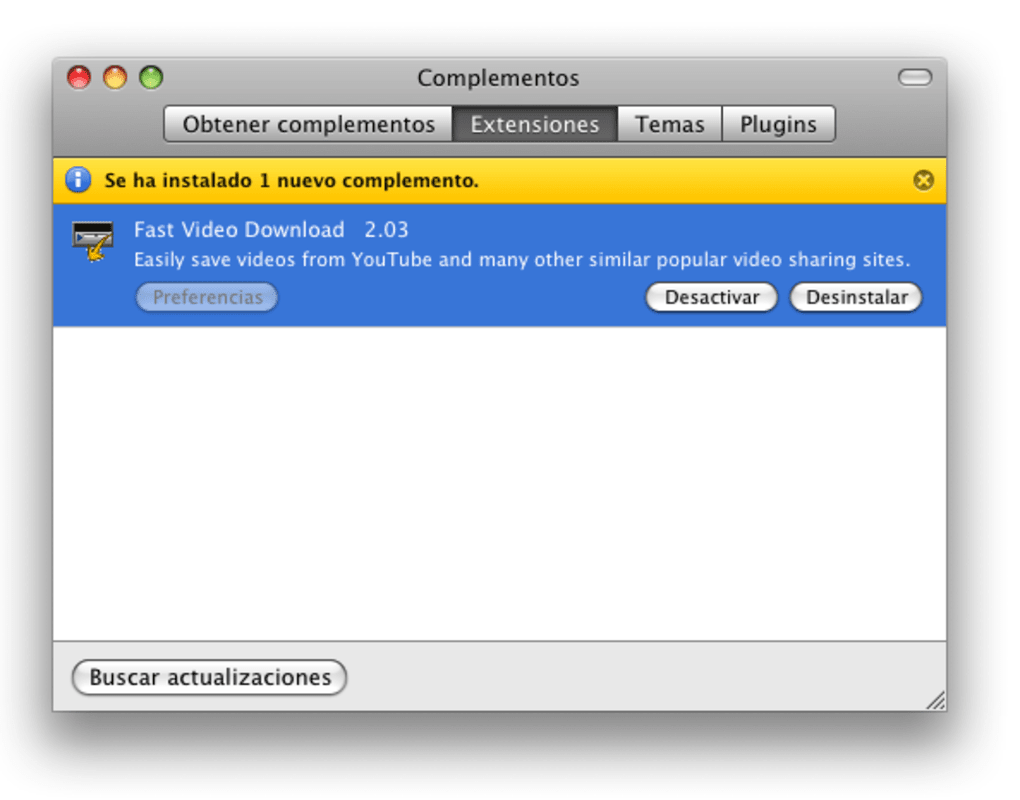
- When the main window appears, click the “Enable Firefox Extension” button. This will open the Firefox Add‑ons page and install the companion extension automatically.
- Restart Firefox to activate the extension. You’ll now see a small download icon in the toolbar whenever a supported video is detected.
How to Use the Downloader
Using Fast Video Download is intentionally straightforward:
- Detect a Video: Navigate to any video page in Firefox. The extension icon turns green, indicating a downloadable stream.
- Choose Format: Click the icon, then select your desired output format (MP4 is recommended for most devices).
- Start Download: Hit “Download”. The file will appear in the default download folder, which you can change in the app’s preferences.
- Batch Mode: If you have multiple videos from the same site, add each to the queue by clicking “Add to Batch”. Once the list is ready, press “Start Batch” to download them all at once.
- Audio‑Only Capture: For sites that block video downloads, enable the “Audio Recorder” toggle. The app will capture the audio stream and save it as an MP3 file.
Compatibility: Fast Video Download requires macOS 10.12 Sierra or later and works best with the latest version of Firefox. The application runs natively on Intel and Apple Silicon Macs, providing consistent performance across all recent hardware.
Pros, Cons & Frequently Asked Questions
Pros
- Fast download speeds with minimal CPU overhead.
- Supports the most common video formats for universal playback.
- Integrated audio recorder for sites that restrict video downloads.
- Batch download capability saves time on large projects.
- Simple, ad‑free UI that’s easy for non‑technical users.
Cons
- No built‑in video editing or custom naming features.
- Batch mode limited to videos from the same website.
- Lacks background downloading for multiple domains simultaneously.
- No automatic update notifications within the app.
FAQ
Is Fast Video Download free or does it require a license?
Fast Video Download offers a fully functional free version. A paid “Pro” upgrade is available for users who need priority support and occasional feature enhancements, but the core downloader remains free for all macOS users.
Can I download videos in HD quality?
Yes. The downloader automatically detects the highest available resolution on the source page. You can manually select 720p, 1080p, or lower resolutions from the format dropdown before starting the download.
Does the app store any of my browsing data?
No. Fast Video Download processes video streams locally and does not transmit personal data to external servers. All downloaded files are saved directly to your Mac.
What video players can I use to play the downloaded files?
Downloaded files are compatible with macOS’s default QuickTime Player, as well as third‑party players like VLC, Elmedia, IINA, and MPlayerX. All supported formats (MP4, AVI, MOV, FLV, WMV) play without additional codecs.
How do I update Fast Video Download when a new version is released?
The application checks for updates each time it launches. If a newer version is found, a prompt appears asking if you’d like to download and install it. You can also manually download the latest installer from the Applian website.
Our Verdict
Rating: 4.2/5
Fast Video Download delivers on its promise of quick, secure video retrieval for Mac users. Its straightforward design and solid core features make it an excellent choice for anyone who needs reliable downloads without the bloat of high‑end suites. While power users may miss advanced editing tools, the app’s speed, format flexibility, and built‑in audio capture more than compensate for the modest feature set.
Conclusion & Call to Action
If you’re looking for a hassle‑free way to pull videos from YouTube, Vimeo, Facebook, and dozens of other sites directly onto your Mac, Fast Video Download offers a compelling blend of speed, simplicity, and security. Its integration with Firefox eliminates the need for manual URL copying, while batch downloading and audio‑only capture address the most common pain points for casual and semi‑professional users alike. Even though it doesn’t rival premium tools in terms of post‑download editing, the free version provides everything most users need to build a personal video library for offline viewing, presentations, or educational purposes.
Ready to start downloading videos in seconds? Download Fast Video Download now and experience a smoother, faster way to collect your favorite online content on macOS.







